The AI Image Model That Changed Everything in 2026
Published: April 22, 2026 | Category: AI Image Generators | Reading Time: 9 min
Quick Summary
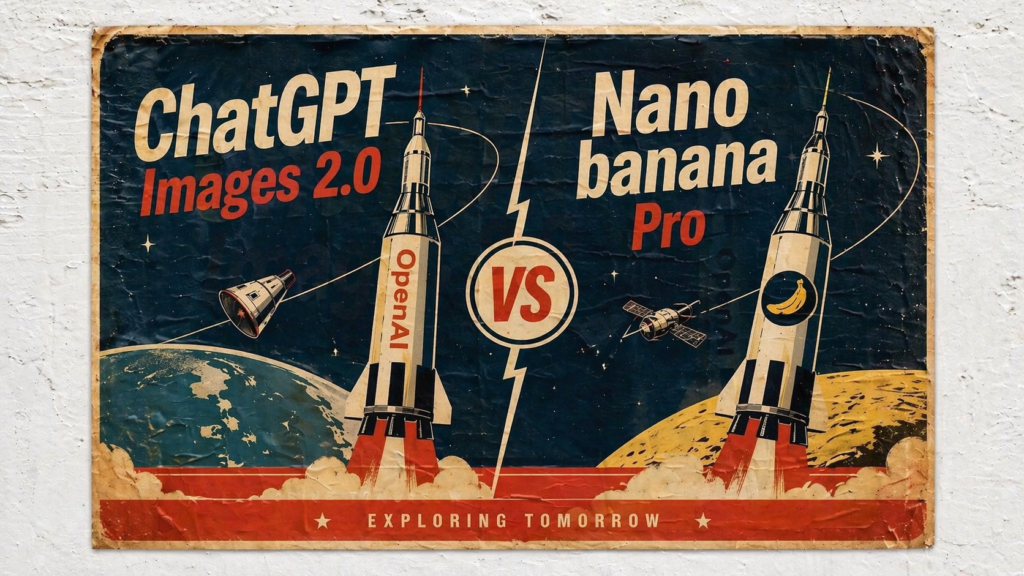
OpenAI launched ChatGPT Images 2.0 (powered by the gpt-image-2 model) on April 21, 2026 — and it’s the most significant leap in AI image generation since native GPT-4o image support debuted in March 2025. For the first time, a model is seriously challenging Google Gemini’s Nano Banana Pro, which had held the top spot for months. This article breaks down what changed, what it means for creators and businesses, and the one prompt trick you need to know right now.
Table of Contents
- What Is ChatGPT Images 2.0?
- The One Prompt Trick That Changes Everything
- Text Rendering: The Game-Changing Upgrade
- Image Editing & Character Consistency
- Thinking Mode: Research Before Drawing
- ChatGPT Images 2.0 vs. Gemini Nano Banana Pro: Head-to-Head
- Where Nano Banana Pro Still Wins
- Pricing & Availability
- Key Takeaways for Creators & Businesses
- FAQ
What Is ChatGPT Images 2.0? {#what-is}
ChatGPT Images 2.0 is OpenAI’s new flagship image generation system, launched on April 21, 2026. It runs on the gpt-image-2 model — available directly inside ChatGPT and through the OpenAI API. This replaces the GPT-4o image pipeline that has powered ChatGPT over the past year, and it marks the retirement of DALL-E 2 and DALL-E 3, both of which are being shut down on May 12, 2026.
Several things make this release genuinely different from what came before:
- It is the first OpenAI image model with native reasoning. With Thinking Mode enabled, the model can spend minutes researching a topic before generating a single pixel.
- It supports up to 2K (4K via API) resolution output.
- It generates up to 8 coherent images from a single prompt, maintaining character and object continuity across the entire batch.
- It has a knowledge cutoff of December 2025, meaning it can accurately render current brand logos, product designs, and recent cultural references that older models got wrong.
- It is the first OpenAI image model to reliably render dense text in Japanese, Korean, Chinese, Hindi, and Bengali.
All ChatGPT and Codex users have access to the base model starting today. Advanced outputs — including Thinking Mode image generation — require a Plus, Pro, Business, or Enterprise subscription.
The One Prompt Trick That Changes Everything {#prompt-trick}
If you are testing ChatGPT Images 2.0 and feel underwhelmed at first, you are not alone. Early testers using words like “realistic photo,” “cinematic,” or “iPhone photo” often got decent but unremarkable results.
The fix is simple: add the phrase “photo realism” to your prompt.
This single addition completely transforms the output — more texture, more depth, more believable lighting. It works on portraits, landscapes, product shots, and action scenes. Before writing off the model, try your exact same prompt again with “photo realism” appended. The difference is often dramatic.
This is the kind of model-specific tendency that only surfaces through experimentation, and it is one of the most immediately actionable discoveries from early testing.
Text Rendering: The Game-Changing Upgrade {#text-rendering}
Text inside AI-generated images has always been the biggest weakness of the entire category. For years, signs read “WELCOOMM,” menus invented nonexistent dishes, and infographics devolved into decorative gibberish the moment they included more than a few words.
ChatGPT Images 2.0 treats text as a first-class element rather than a texture approximation. The model has learned what specific words mean as glyphs — not just what letters look like in general.
In practice, this means:
Infographics with dense text — Labels, captions, ingredient amounts, and instructions all render correctly. Where previous models would garble finer details in complex layouts, gpt-image-2 holds typography, spelling, and hierarchy through compositions that would have been impossible six months ago.
Movie poster fine print — Details like “Music by Binary Bard” and “Production Design by Pixel and Pine” in small text at the bottom of a poster come out perfectly. Gemini Nano Banana Pro’s output of the same prompt renders the same fine print as warped, unreadable text.
UI screenshot recreations — Full recreations of platforms like Midjourney’s explore page and even complex node-based tools like ComfyUI (with accurate prompt fields, negative prompt conditioning, and technical labels) come out with remarkable fidelity. Every comment in a social media screenshot has a unique name and profile picture. This level of accuracy means, as early reviewers have noted, you genuinely cannot trust any image online anymore.
Alphabet grids — A prompt for a 26-letter illustrated animal alphabet — notoriously difficult because 26 letters do not fit cleanly into a standard grid — was solved perfectly by ChatGPT Images 2.0 after every previous model had failed with letter-animal misalignments or skipped tiles.
Working QR codes — Because Thinking Mode actually computes the mathematical encoding of a QR code before drawing it, the model generates QR codes that scan correctly. Every previous AI image model produced QR-code-shaped images that did not work.
Image Editing & Character Consistency {#image-editing}
Beyond generation from scratch, ChatGPT Images 2.0 is a strong image editor. Key editing capabilities confirmed in testing:
- Adding objects to existing images — Give a character a weapon, add environmental elements, or insert new subjects.
- Gender and appearance changes — Swap character traits while maintaining overall scene coherence.
- Rotation, zoom, and lighting effects — Compound edits like “rotate, zoom in, and add a red glow” are handled in a single instruction, with minimal style drift.
- Angle changes — Shift a character from profile to full front-body shot while preserving their appearance.
- Multi-subject photo combinations — Merging two real photographs into a single coherent image, something notoriously difficult for AI models.
Character consistency across multiple panels or iterations is also significantly improved. A ten-panel storyboard with named paper characters surviving a town fire stays visually consistent from discovery to reunion to rebuilding — every panel, every face, every detail. This kind of long-form visual narrative was not reliably achievable before.
Thinking Mode: Research Before Drawing {#thinking-mode}
One of the most distinctive features of ChatGPT Images 2.0 is its integration with reasoning. When Thinking Mode is enabled, the model does not immediately start generating. It opens a thinking panel, makes a research plan, searches for current sources, and reasons through what to include before producing the image.
A real-world example from testing: a prompt asking for a detailed infographic comparing the architectures behind leading AI video models triggered seven minutes of research and planning before any pixels were generated. The model identified which technical details were publicly disclosed by each company, avoided speculation, and produced an infographic where every visible text element was accurate.
This same capability allows ChatGPT Images 2.0 to generate research-grounded news dashboards: search the web for today’s stories, find each news item, generate a matching image, and assemble everything into a formatted layout — all from a single prompt.
For content creators, marketers, and researchers, this closes a loop that previously required multiple separate tools.
ChatGPT Images 2.0 vs. Gemini Nano Banana Pro: Head-to-Head {#comparison}
Google Gemini’s Nano Banana Pro has been the benchmark for AI image generation for months, amassing over 1 billion images generated in just 53 days across the Gemini platform as of January 2026. It set the bar high — and for a long time, nothing consistently beat it.
Here is how the two models compare across the categories that matter most:
| Category | ChatGPT Images 2.0 | Gemini Nano Banana Pro |
|---|---|---|
| Dense text rendering | ✅ Near-perfect | ❌ Frequent errors in complex layouts |
| Infographic accuracy | ✅ More complete and factually accurate | ✅ More aesthetically polished, but error-prone with heavy text |
| Fine print & poster details | ✅ Perfect | ❌ Garbled at small sizes |
| UI screenshot recreation | ✅ Highly accurate | ❌ Text issues throughout |
| Photo realism | ✅ Excellent (with “photo realism” prompt) | ✅ Strong |
| Alphabet/grid challenges | ✅ First model to solve 26-letter animal grid | ❌ Consistent failures |
| Thinking Mode + web research | ✅ Unique capability | ❌ Not available in image generation |
| Working QR codes | ✅ Yes | ❌ No |
| Style matching (artistic) | ❌ Inconsistent | ✅ Stronger style replication |
| Thumbnail generation (first try) | ✅ Outstanding out-of-box quality | ✅ Good, but less impressive cold |
| Factual accuracy in infographics | ✅ More reliable | ❌ Missing product trims, incorrect specs |
| 4K resolution | ✅ Via API | ✅ Available |
| Multilingual text | ✅ Japanese, Korean, Hindi, Bengali, Chinese | ✅ Available |
The overall picture: ChatGPT Images 2.0 wins on accuracy and utility. Gemini Nano Banana Pro wins on aesthetics and artistic style.
Where Nano Banana Pro Still Wins {#where-gemini-wins}
Giving a complete picture matters. There are genuine areas where Gemini’s Nano Banana Pro still outperforms:
Artistic style replication. When given a reference image and asked to produce new content in the same distinct visual style, Nano Banana Pro matches the original much more precisely. ChatGPT Images 2.0 will produce something interesting, but it does not always honor the specific aesthetic.
Visual polish on simpler prompts. For straightforward image generation without complex text or infographic requirements, Gemini’s output often has a more refined, “finished” look. The aesthetics are cleaner.
Pricing per image. Google’s per-image API costs are significantly lower than OpenAI’s for high-volume use cases.
Pricing & Availability {#pricing}
ChatGPT Images 2.0 (gpt-image-2):
- Available to all ChatGPT and Codex users starting April 21, 2026
- Thinking Mode generation requires Plus ($20/month), Pro ($200/month), Business, or Enterprise
- API pricing is resolution- and quality-dependent (standard and 4K tiers)
- DALL-E 2 and DALL-E 3 are being retired on May 12, 2026
Gemini Nano Banana Pro:
- Available via Google AI Plus ($7.99/month) and Pro ($19.99/month)
- Per-image API cost ranges from $0.02–$0.06 via Google Cloud (Imagen)
- Free tier offers 3 images/day
For professional workflows requiring accuracy, research integration, and dense text, ChatGPT Images 2.0 justifies its pricing. For high-volume bulk image generation with aesthetic priority, Gemini Nano Banana Pro remains more cost-effective.
Key Takeaways for Creators & Businesses {#takeaways}
If you create thumbnails, marketing visuals, or social content: Test ChatGPT Images 2.0 immediately. The first-attempt quality on complex creative briefs — including branded thumbnails with no detailed direction — is genuinely impressive.
If you produce infographics, reports, or data visualizations: ChatGPT Images 2.0 is now the go-to. Its ability to research, reason, and render dense text accurately makes it the first AI image tool that can reliably produce a complete, fact-checked infographic in one step.
If you need UI mockups, screenshots, or product design assets: This model’s UI recreation capability is unprecedented. Treat it as a rapid prototyping tool that actually renders realistic interfaces, not just vague approximations.
If you rely on artistic style matching or aesthetic consistency: Keep Gemini Nano Banana Pro in your workflow. It still has an edge in visual polish and style replication.
The power move: Use both. ChatGPT Images 2.0 for accuracy, research-driven output, and text-heavy work. Gemini Nano Banana Pro for aesthetics and artistic style matching. These tools are complements, not pure replacements.
FAQ {#faq}
What model powers ChatGPT Images 2.0?
The underlying model is gpt-image-2, available in ChatGPT and through the OpenAI API.
Is ChatGPT Images 2.0 available for free?
The base model is free for all ChatGPT users. Thinking Mode image generation requires a paid plan (Plus, Pro, Business, or Enterprise).
What is Nano Banana Pro?
Nano Banana Pro is Google Gemini’s advanced image generation model, part of the Gemini platform. It had been widely regarded as the best AI image generator available before ChatGPT Images 2.0 launched.
What happened to DALL-E?
DALL-E 2 and DALL-E 3 are being retired on May 12, 2026. gpt-image-2 is their official replacement across all ChatGPT and OpenAI API products.
Can ChatGPT Images 2.0 generate images in other languages?
Yes. It is the first OpenAI image model with reliable text rendering in Japanese, Korean, Chinese, Hindi, and Bengali.
What resolution does gpt-image-2 support?
Up to 2K in ChatGPT. 4K output is available through the API (and compatible third-party tools that support the 4K option).
Does it support different aspect ratios?
Yes — from 3:1 wide to 1:3 portrait, and everything in between.
What is the knowledge cutoff for gpt-image-2?
December 2025. The model may not accurately generate visuals tied to events, people, or products that emerged after that date, though Thinking Mode’s web search partially bridges this gap.
Aidizer.com covers the AI tools shaping work and creativity. For more comparisons, reviews, and prompting guides, explore the full directory.